Integrate Thesean With Cline
Set up Cline to call supported Ship models through Thesean's OpenAI- and Anthropic-compatible APIs.
Ensure you have your Thesean API key from the Thesean Dashboard before continuing.
Prerequisites
Ensure you have Cline installed. See cline.bot for installation instructions.
Setup Steps
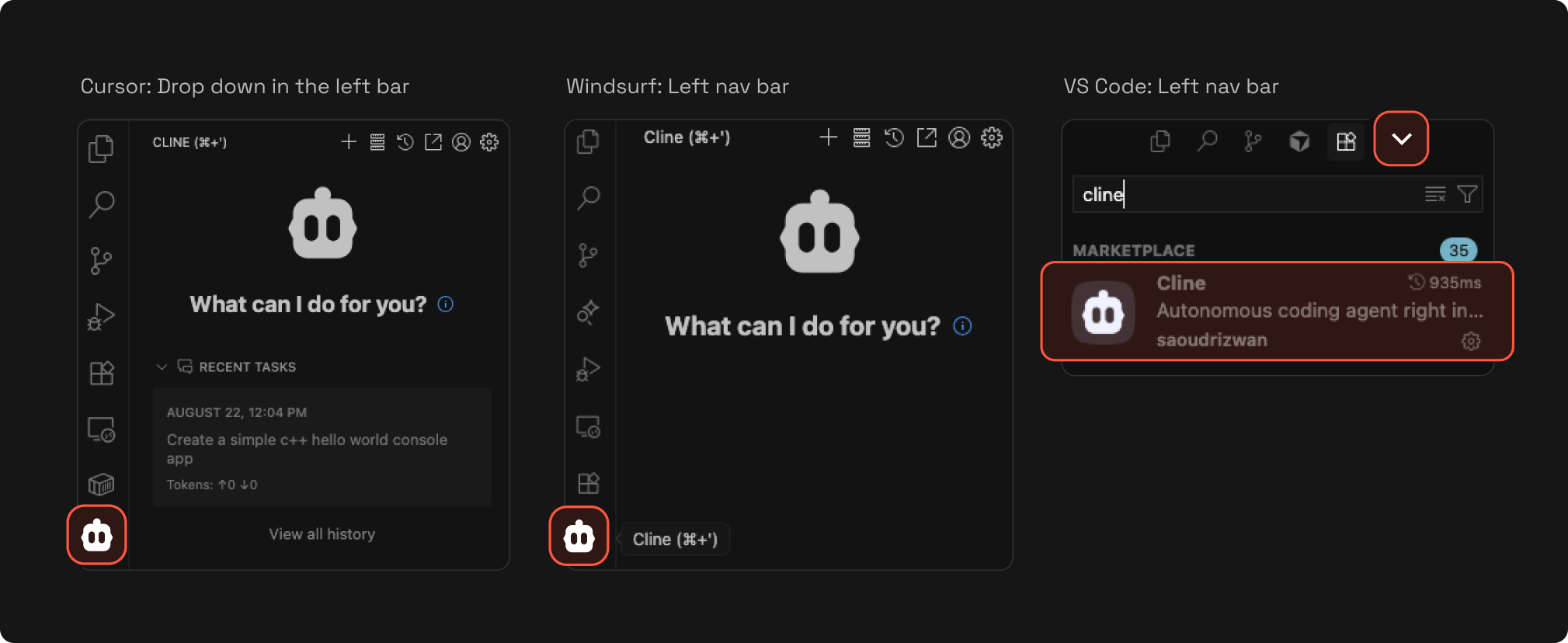
Step 1: Open Cline Extension
Click on the Cline extension in your code editor. See the following screenshots to find the extension in different code editors:
Step 2: Configure API Key
- Click Use my own API Key.
- Click the settings (sprocket) icon.
Step 3: Configure Provider
Choose either supported provider configuration:
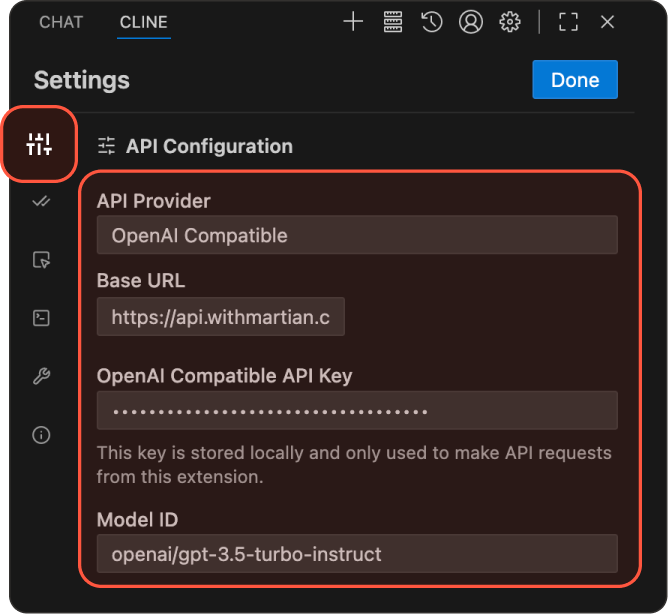
OpenAI Configuration
Configure the following fields:
- API Provider: Select OpenAI Compatible.
- Base URL: Set to
https://api.thesean.ai/v1. - OpenAI Compatible API Key: Enter your Thesean API key.
- Model: Enter
ship-like/gpt-5.6-sol.
The OpenAI-compatible endpoint accepts the Ship model ID directly. See Available Models for details about the supported Ship models.
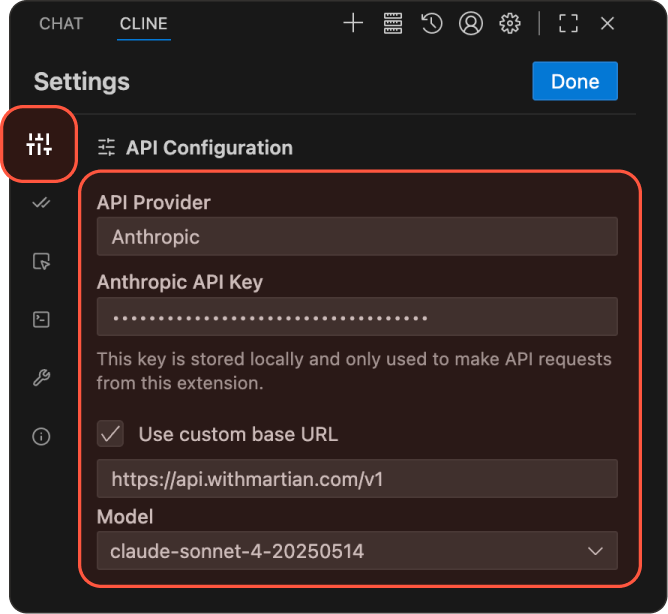
Anthropic Configuration
Configure the following fields:
- API Provider: Select Anthropic.
- Anthropic API Key: Enter your Thesean API key.
- Use custom base URL: Set to enabled and enter
https://api.thesean.ai/v1. - Model: Enter a Claude Ship model, such as
ship-like/claude-sonnet-5.
Step 4: Save and Start
- Click Done to save the changes.
- You can now use Thesean to route commands as your AI assistant, using the Cline extension for your code editor.